UI/UX Design
- M Sudais (Trainer)
- 60+ (Graduates)
- 5*****(30 reviews)
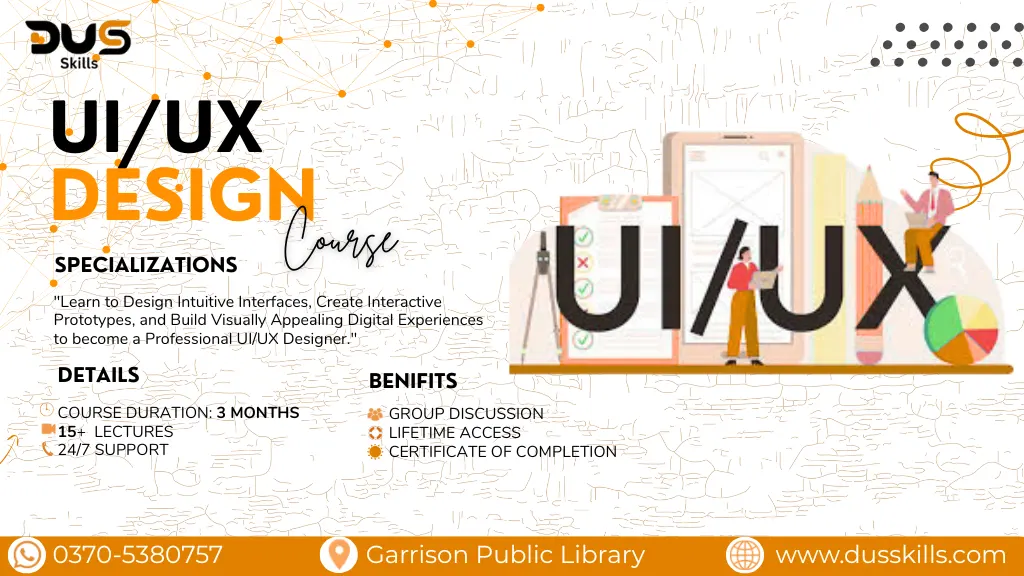
Master the art of creating intuitive, visually stunning, and user-centered digital experiences. Learn how to research user behavior, design engaging interfaces, build interactive prototypes, and apply modern design principles that elevate products and brands. With hands-on training and real-world projects, this course prepares you for the rapidly growing UI/UX design industry. Enroll now and become a professional UI/UX designer with DUS Skills!
Rs. 22,000
- Course Duration: 3 Months
- Live Lectures
- 24/7 Support
- Group Discussion
- Lifetime Access
- Certificate of Completion
- 15 Days Refund Policy
DUS AI – Details & Registration
DUS Skills UI/UX Design Training
This course is designed to equip you with practical UI/UX Design skills that can start generating income right after completion. It’s an earning-focused program enabling you to offer design services on freelancing platforms, work as a UI/UX Designer, Product Designer, or build stunning user-focused interfaces and prototypes for businesses worldwide.
In today’s digital world, every brand needs high-quality design that delivers seamless user experiences. DUS Skills empowers learners with expert-led training in UI/UX Design, helping them stay ahead through practical, career-focused education built around real industry projects and tools used by professionals.
Module 1: Introduction to UI/UX Design
What is UI and UX?
Difference between UX, UI, and Product Design
Overview of the design industry & career paths
Module 2:User Research & Analysis
Understanding user needs
Conducting surveys, interviews, and user personas
Competitor analysis & UX strategy
Module 3:Information Architecture & User Flows
Structuring content logically
Creating user flows, journey maps, and sitemaps
Understanding navigation models
Module 4: Wireframing (Low-Fidelity Design)
Sketching layout ideas
Creating low-fidelity wireframes
UX layout principles & best practices
Module 5:UI Design Fundamentals
Color theory, typography, spacing, and visual hierarchy
Designing clean and modern interfaces
Mobile-first & responsive UI principles
Module 6:High-Fidelity Prototyping
Creating pixel-perfect designs
Interactive prototyping
Creating micro-interactions & animations
Module 7: Design Tools Mastery
Hands-on training with Figma
Components, auto-layout, and design systems
Exporting assets for developers
Module 8:Portfolio Building & Real-World Projects
Creating case studies
Designing complete app & website projects
Preparing for job interviews & freelancing platforms
This course uses Industry-standard of UI/UX Design including:
Figma – the most popular UI/UX design and prototyping tool
Adobe XD – modern tool for wireframing, UI design, and interactive prototyping
Sketch – Mac-based interface design tool used by professional designers
Adobe Illustrator – vector graphics tool for icons, illustrations, and UI elements
Adobe Photoshop – for editing images, assets, and interface elements
InVision – prototyping and collaboration platform
Marvel App – quick prototyping and user testing tool
Maze – user testing and analytics tool for usability research
Overflow – user flow creation tool for mapping user journeys
LottieFiles – platform for adding micro-interactions and animations
Canva – lightweight design tool for quick assets and presentations
Google Fonts & Material Icons – resources for typography and iconography
- Free Access to AI Tools List & Resources
- Downloadable Project Files & Code Templates
- Freelancing Guide for Data Science & ML Services
- Mini Course: Data Visualization with Python
- Portfolio-Building Tips & Templates
- Exclusive Certificate with DUS Skills Branding
- 1-on-1 Mentorship Session (Limited Slots)
- Access to Private Learners' Community
- Free Future Course Updates
FAQ's
Q1:Do I need any design experience to start UI/UX?
A:Not at all! This course is beginner-friendly and starts with the basics. Anyone interested in design, creativity, or tech can learn UI/UX from scratch.
Q2:Do I need to know coding for UI/UX Design?
A:No — UI/UX does not require coding knowledge. You will use design tools like Figma to create interfaces and prototypes without programming.
Q3:What is the scope of UI/UX Design in the market?
A:UI/UX Design is one of the most in-demand fields globally. Every app, website, product, and digital service needs UI/UX experts to create great user experiences.
Q4:Will I learn tools like Figma and Adobe XD?
A: Yes! You will learn hands-on ethical hacking tools, penetration testing techniques, and how to identify and fix real security vulnerabilities.
Q5:Is this course beginner-friendly?
A:Absolutely! It’s structured for students, beginners, career switchers, and freelancers who want to learn UI/UX step-by-step.
Q6:Can I start freelancing after completing this course?
A: Yes! You will be able to design landing pages, app interfaces, website prototypes, and complete UX case studies to offer services on platforms like Fiverr and Upwork.
Q7: What career opportunities can I pursue after this course?
A:You can work as a UI/UX Designer, Product Designer, Interaction Designer, UX Researcher, Visual Designer, or Prototype Specialist.
Learning Outcomes
At the end of this course, you’ll be able to design professional user interfaces and create complete user experience flows from research to final prototype. You will confidently use tools like Figma to build wireframes, interactive prototypes, landing pages, mobile app screens, and full website layouts. You’ll understand user research, usability testing, design systems, and modern UI/UX principles—allowing you to build real client projects and create a strong professional portfolio. After completing the course, you’ll be ready to work as a UI/UX Designer, start freelancing, or collaborate with agencies and startups worldwide.
