Typing Master
- M Sudais (Trainer)
- 60+ (Graduates)
- 5*****(30 reviews)
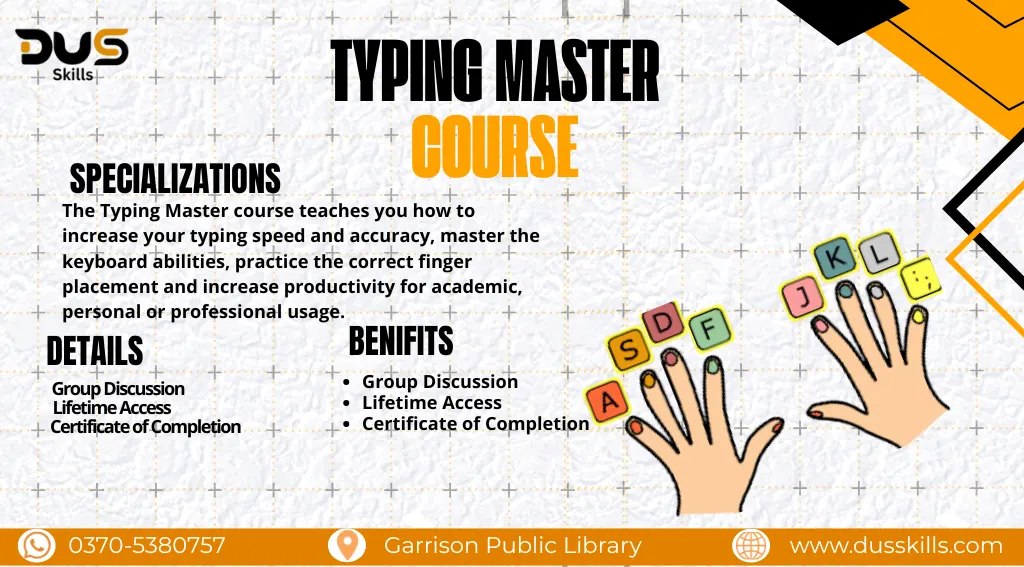
Master the skill of fast, accurate, and professional typing to boost your productivity and unlock new career opportunities. Learn how to improve your typing speed, enhance finger accuracy, practice the correct hand placement, and build confidence through interactive exercises and real-world typing drills. Discover techniques used by expert typists to type flawlessly without looking at the keyboard. With hands-on training and continuous practice sessions, this course prepares you to work smarter, type faster, and achieve excellence in digital communication. Enroll now and become a typing expert with DUS Skills!
Rs. 22,000
- Course Duration: 3 Months
- Live Lectures
- 24/7 Support
- Group Discussion
- Lifetime Access
- Certificate of Completion
- 15 Days Refund Policy
DUS AI – Details & Registration
DUS Skills Typing Master Training
This course is designed to help you develop fast, accurate, and professional typing skills that can boost your productivity in any field. It focuses on practical training, allowing you to strengthen finger placement, typing speed, accuracy, and muscle memory through structured exercises and real-world typing tasks. Whether you’re a student, freelancer, office worker, or someone preparing for competitive exams, this course equips you with the typing efficiency needed to excel in digital communication and modern work environments.
With expert guidance and performance-focused learning, you’ll gain the confidence and technique required to type effortlessly and efficiently.
Module 1:Introduction to Typing Skills
Importance of typing in digital work
Typing speed vs. accuracy
Overview of QWERTY keyboard layout
Module 2:Finger Placement & Home Row Position
Correct hand placement
Understanding home row keys
Muscle memory development
Module 3:Basic Typing Drills
Home row practice
Upper & lower row drills
Simple word typing exercises
Module 4:Speed Building Techniques
Increasing speed with progressive drills
Reducing common typing errors
Timed practice sessions
Module 5:Accuracy Improvement & Error Correction
Techniques to minimize mistakes
Real-time correction practice
Improving rhythm & focus
Module 6:Number Row & Special Characters
Typing numbers efficiently
Essential symbols for office work
Shortcut & symbol practice
Module 7:Paragraph & Long-Form Typing Practice
Consistent paragraph typing
Maintaining speed + accuracy
Professional document typing
Module 8:Typing for Freelancing & Office Work
Typing emails, reports & documents
Data entry practice
Using typing skills for online earning
This course uses Industry-standard including:
TypingMaster Pro – advanced typing training software with real-time tracking
KeyBlaze Typing Tutor – beginner-friendly typing practice tool
Ratatype – online typing speed test & accuracy training
Typing.com – free typing lessons for beginners and professionals
10FastFingers – typing speed test platform for daily practice
Klavaro Touch Typing Tutor – structured lessons for accuracy and technique
TypingClub – interactive typing lessons with progress monitoring
Google Docs – for practicing real-world typing tasks and documents
Notepad / WordPad – simple environment for daily typing practice
MS Word – professional document typing and formatting practice
- Free Access to AI Tools List & Resources
- Downloadable Project Files & Code Templates
- Freelancing Guide for Data Science & ML Services
- Mini Course: Data Visualization with Python
- Portfolio-Building Tips & Templates
- Exclusive Certificate with DUS Skills Branding
- 1-on-1 Mentorship Session (Limited Slots)
- Access to Private Learners' Community
- Free Future Course Updates
Vist Our More Courses
FAQ's
Q1:Do I need a technical or IT background to learn Cyber Security?
A:Not necessarily! This course begins from scratch and teaches you all the fundamentals step-by-step. Anyone with basic computer knowledge can start learning Cyber Security.
Q2:Do I need to know programming for Cyber Security?
A:Basic understanding of coding can be helpful, but it’s not required to start. You will gradually learn essential skills and tools used by Cyber Security professionals.
Q3:What is the scope of Cyber Security in the market?
A:The demand for Cyber Security experts is growing rapidly worldwide. Businesses, agencies, banks, software companies, and governments all need skilled security professionals to protect data and systems.
Q4:Will I learn Ethical Hacking and Penetration Testing in this course?
A: Yes! You will learn hands-on ethical hacking tools, penetration testing techniques, and how to identify and fix real security vulnerabilities.
Q5:Is this course beginner-friendly?
A:Absolutely! The course is designed for complete beginners as well as those who want to upgrade their skills.
Q6:Will I get access to premium tools and practical labs?
A: Yes, you will practice using real Cyber Security tools, simulators, and lab environments just like industry professionals.
Q7: Can I start freelancing after completing this course?
A:Yes! You can offer services like penetration testing, vulnerability assessment, security audits, and malware investigation on freelancing platforms.
Learning Outcomes
At the end of this course, you’ll be able to type faster, more accurately, and with greater comfort using proper hand placement and professional typing techniques. You’ll confidently complete typing tasks without looking at the keyboard, increase your words-per-minute (WPM), and eliminate common typing errors. These skills will help you work smarter, complete tasks quickly, and perform efficiently in academic, professional, and freelancing environments.
